
The Good Morning Fix™
Your whole morning routine on one screen: greeting, days of the week, calendar, counting the days of school, weather, community circle and a morning message. The class works out every answer together. The screen asks, students think, the leader taps, and only then does it confirm.
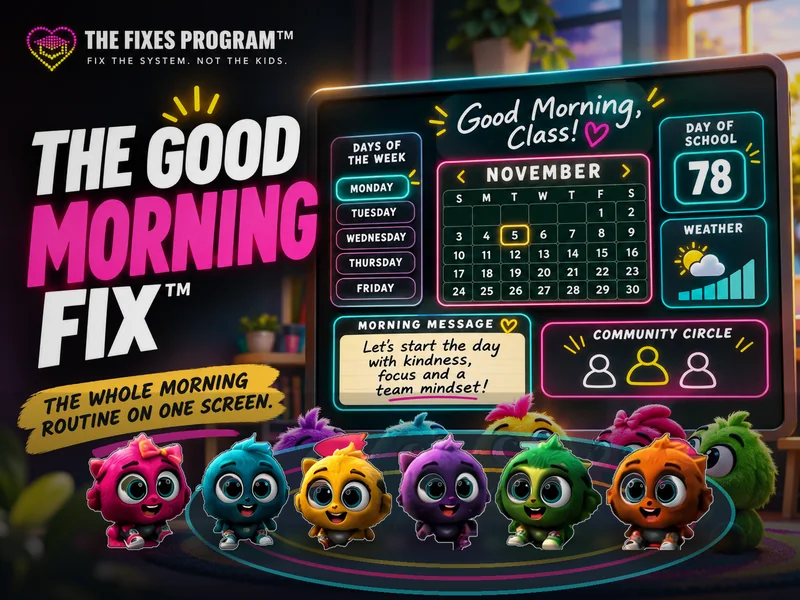
- 7steps, from hello to the morning message
- 0board space, printing or monthly re-downloads
- 8–15minutes, or skip to any step
- 0student accounts, and feelings are never saved
The seven steps
- Hello. Today’s greeting (wave, elbow bump, “Bonjour!”), today’s student leader and any birthdays.
- Days of the week. “Yesterday was…? Today is…? Tomorrow will be…?” The class says it, the leader taps it. A chant button sings the days if anyone is stuck.
- Calendar. Find today’s square, name the month and the date, then read the full date aloud. Hearts mark every school day so far. Odd or even, and the season.
- Count the days of school. Add today’s stick, bundle ten ones into a ten, then count together: tens first, then ones. Each number appears only after the class says it. Countdown to day 100.
- Weather. Look outside and decide first. Then compare with the live forecast, choose what to wear and add today to the month’s weather graph.
- Community circle. Pass your talking object around the real circle while the screen shows today’s prompt, a sentence starter and feeling words. Passing is always okay.
- Morning message. Your own message, or an original question of the day, then turn and talk.
Why it works
Students build the knowledge
Nothing is just announced. The class reasons, counts and decides, and the screen confirms. That is the whole point of a calendar routine.
Student-led
Leader Mode shows a short “Leader says” script on every step. The leader rotates automatically each school day.
Your Fixes run the morning
A different Fix hosts each step, and the whole crew cheers when the class gets it right.
Set up once
Ontario holidays and breaks are already marked off. Tap your board’s PA days and the school-day count fixes itself.
Fits any board
Everything resizes to your projector or interactive board. No scrolling, no tiny text.
Private by design
Feelings are never typed, saved or counted. Class lists and birthdays stay on your computer.
Questions teachers ask
- Which grades is it for?
- Kindergarten to Grade 3, where a daily calendar routine is standard. Older classes can use the weather, circle and message steps.
- Does it replace my calendar wall?
- Yes. The calendar, the days-of-school count, the weather graph and the class jobs all live on the screen, so your board space is free.
- What if I use a different computer?
- Settings are saved per browser. Setting up on a new computer takes about two minutes.
- Does it need the internet?
- Only for the live forecast. Everything else works once the page is open.
- Do I have to change my morning routine?
- No. Use the steps you already do and skip the rest. It is an original Fixes tool that fits around the routine your class already has.
Pairs well with
- The Daily Fix™ Finish the morning with today’s whole-class logic and math puzzle.
- Morning Race™ A visible arrival challenge for unpacking and starting the day.
- Mystery Build™ A calm early-entry activity while late arrivals settle.
- Weather Day™ Flags likely indoor-recess days from the local forecast.
Try it tomorrow
Open thefixesprogram.com/run/good-morning/ before the bell, tap the gear to add your class name, and choose today’s leader. That’s it.
The Good Morning Fix™ at a glance
- Who it’s for
- Kindergarten to Grade 3 classroom teachers
- What you do
- Run morning meeting from one screen: days of the week, calendar, counting the days of school, weather and community circle.
- Cost
- Free. No accounts, no logins, no student data.
- What you need
- No prep. One teacher screen or projector. No student devices.