
What this Fix is for
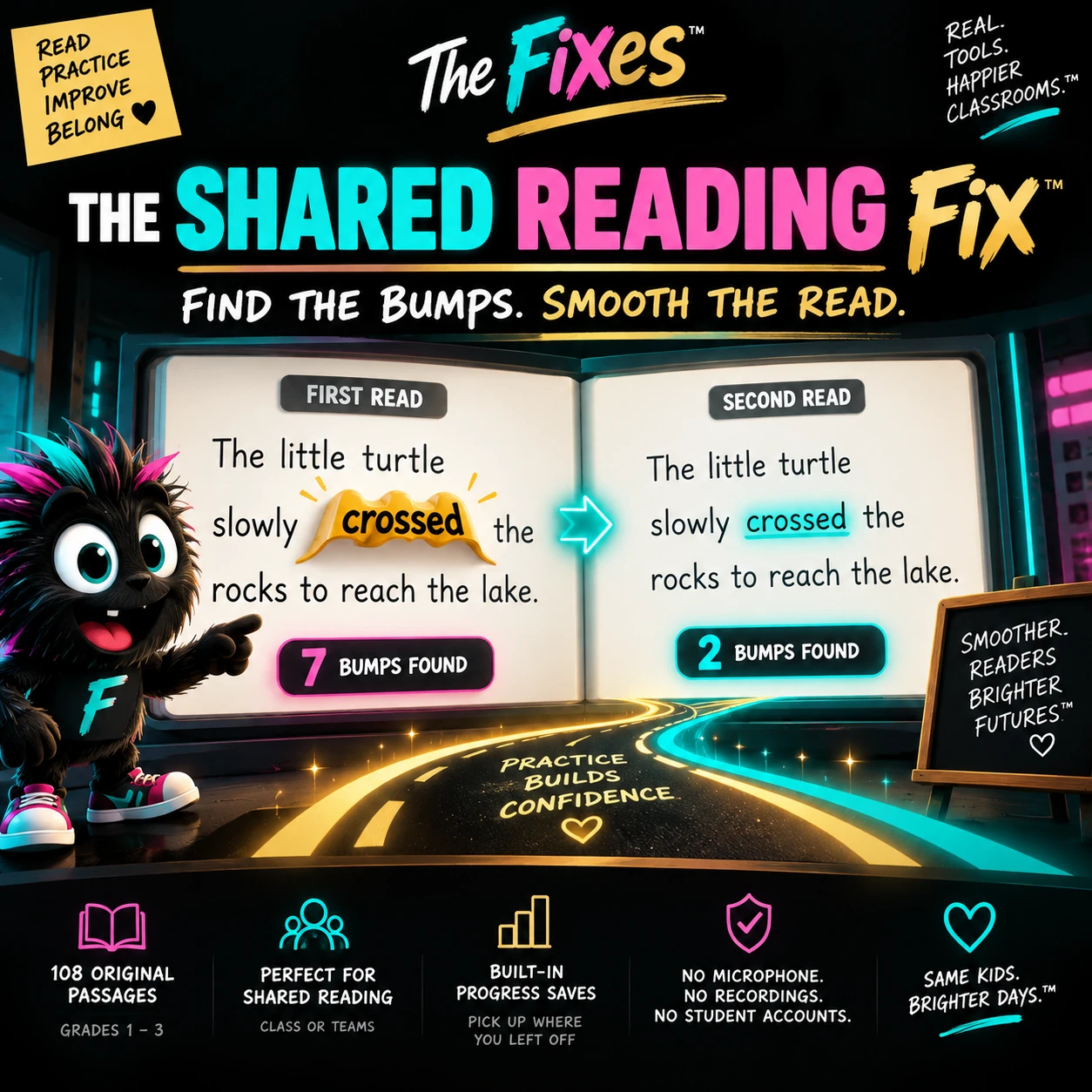
The Shared Reading Fix is designed for whole-class reading when you want students to hear the text together, notice where the reading bumps and then have a reason to read it again. Instead of stopping to turn every mistake into a mini-lecture, the teacher can mark the bump, finish the read and use the pattern of bumps to shape the reread.
How it works
Choose a built-in passage, project it and read together. When the class misses or hesitates on a word, the teacher taps it. That word becomes a visible bump. At the end, the class sees the pattern, works through the trouble spots and rereads to smooth the passage. Progress is stored locally in the browser so the tool does not need student accounts.
Why teachers keep it simple
- Teacher controls the marking; students keep reading
- Built-in passages reduce setup and copyright uncertainty
- Rereading has a visible reason instead of feeling repetitive
- Local browser progress; no student sign-ins
What students actually see
The live classroom side is intentionally cleaner than this teacher page. There are no student accounts, no payment prompts and no advertising inside the activity. The teacher launches it from one shared screen and keeps control of pacing.
When to use it
Use it for shared reading, oral reading fluency, rereading practice, primary literacy, whole-class reading or when the same words keep tripping up the group.
Use it without over-explaining it
Open the tool before the moment becomes messy, give the shortest possible direction, and let the visual structure carry the routine. The point is not to add another lesson to your day. It is to make an existing classroom moment easier to run and easier to repeat.
Built to be reusable
The strongest classroom tools are the ones students recognize the second time. Use the same launch language, the same screen and the same finish cue. Familiarity lowers setup time and helps the routine become something the class can do rather than something the teacher has to narrate from scratch.